
HydroMark 1.1.0: An AI Assistant That Writes Into OneNote, Not Just Chats
10/9/26...About 3 min
A few weeks ago I introduced HydroMark here — an add-in that brings real Markdown editing with live preview into OneNote. At the end of that post I said AI-assisted writing was on the roadmap.
It shipped. Version 1.1.0 is out, and the AI Assistant is the headline feature.
But before you picture yet another chat sidebar, here's the part that actually matters: this one writes into your notes.
Most "AI in a sidebar" is a copy-paste machine
You ask something, get a wall of Markdown text in a chat bubble, select it, copy it, switch to your note, paste, and then you still have to render it. Four manual steps for something the model already finished.
HydroMark's assistant closes that loop. It's built on an action protocol: the model doesn't just answer — it can call the add-in's own operations, and the result lands directly in your OneNote page as rendered content:
- Insert rendered Markdown — a whole article, release notes, meeting minutes: headings, lists, task checkboxes, tables, code blocks, math, Mermaid diagrams, highlight boxes — all rendered in place, not pasted as raw text.
- Insert tables — including the new content-fitted tables: the model emits
insert_tablewithfullWidth:false, and HydroMark measures every column's longest cell and sizes columns to match. (This is the same table engine as the newAlt+Wwidth toggle shipped in 1.1.0.) - Page operations — render, source mode, export, page width, TOC, table settings. The assistant drives the same ribbon operations you'd click by hand.
- Action results feed back to the model — when an insert succeeds (or fails), the outcome is returned into the conversation, so the model can confirm or self-correct instead of guessing.
Setup in about a minute — bring your own model
Open AI Model Settings from the HydroMark tab, pick a provider, paste your API key, hit Test connection, done.
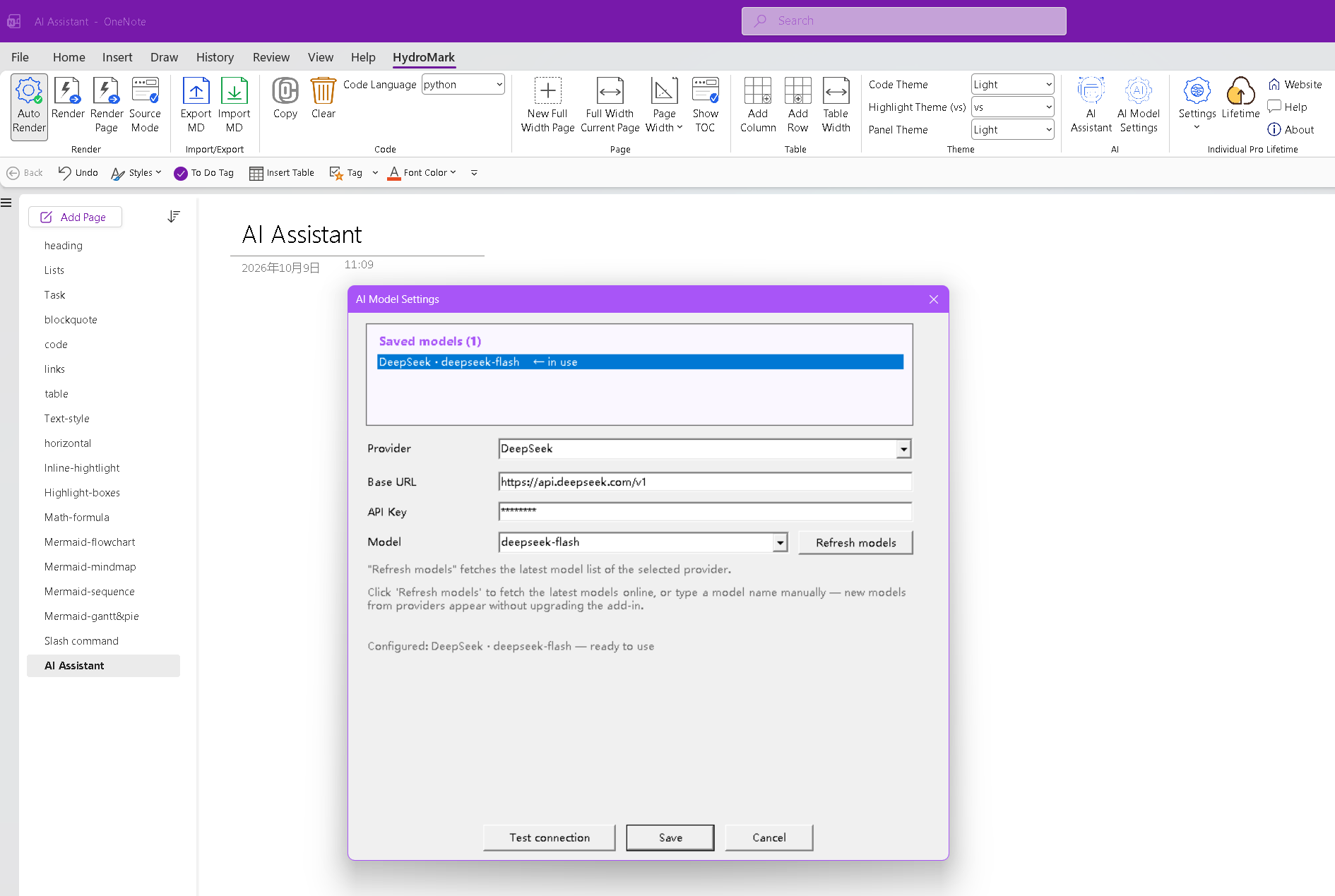
Fifteen providers are built in — OpenAI, DeepSeek, Kimi, Zhipu, Qwen and more — with a custom Base URL field for anything else, and a Refresh models button that pulls the provider's current model list online. Multimodal models work too: paste a screenshot into the chat and the assistant can reference and insert it.
Your API key stays on your machine. There's no middleman server between OneNote and the model provider.
Demo 1: "Help me write an article with at least 8 types of Markdown elements"
One prompt, sent from the sidebar:
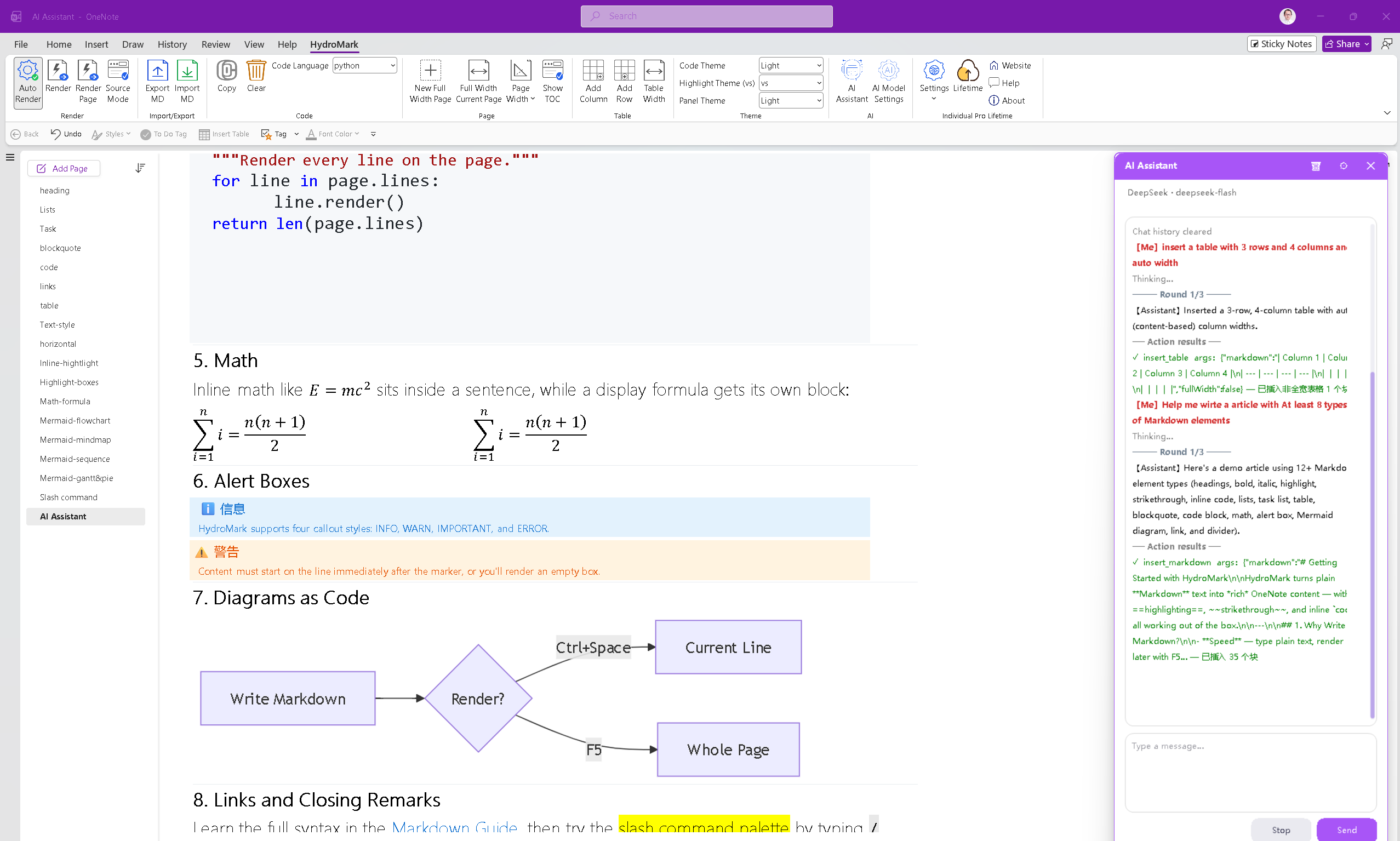
The assistant plans, emits the Markdown, executes the insert — and the page now contains a fully rendered article: math formulas as native OneNote equations, a Mermaid flowchart, INFO/WARNING callout boxes, all of it.
Demo 2: what lands in the page
Here's the same generated article up close — a title, styled headings, a checklist with real OneNote to-do checkboxes, a comparison table, a blockquote, a Python code sample:
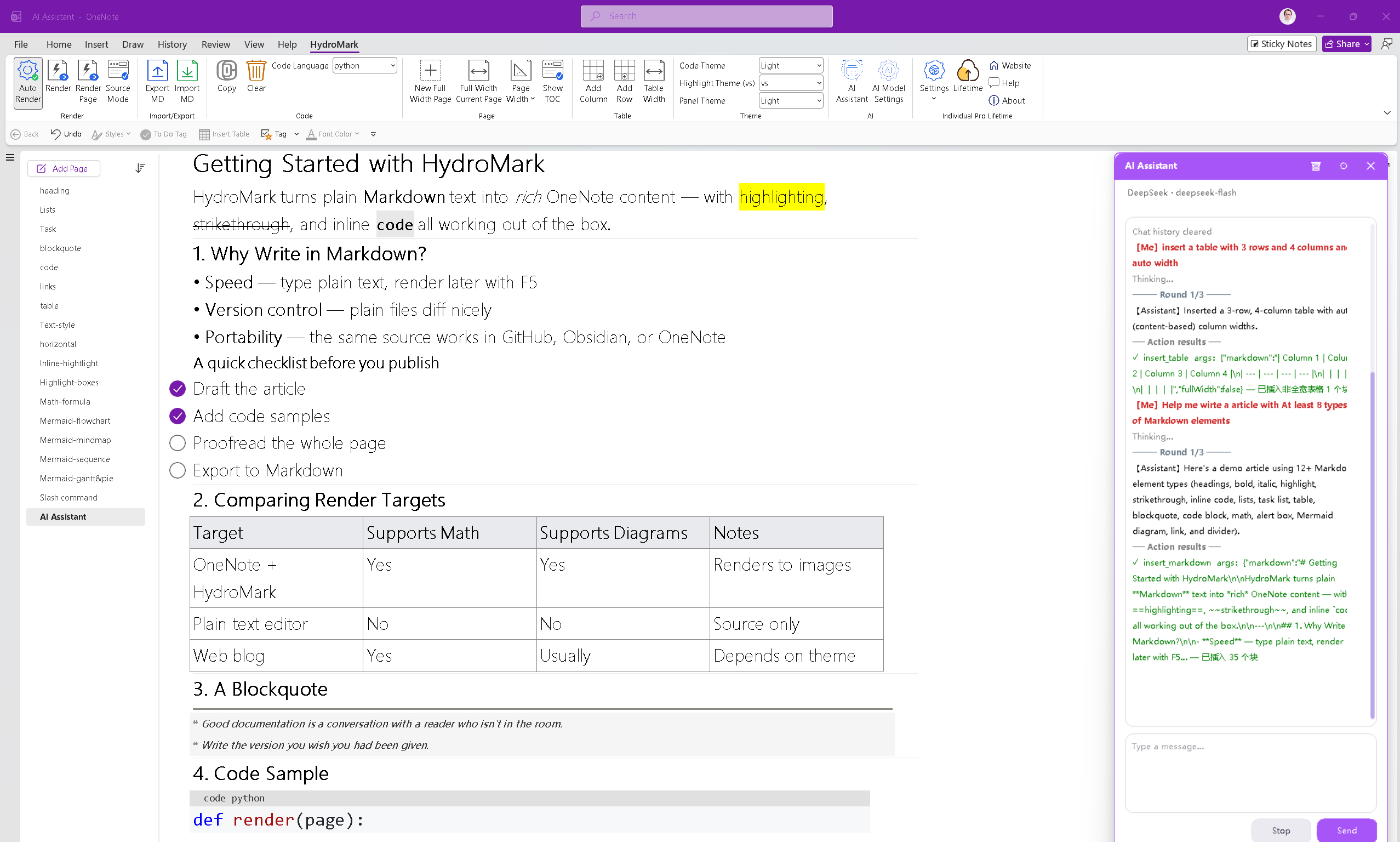
Everything you see is native OneNote content — editable, searchable, synced, and it survives in the notebook like anything else you typed by hand.
Demo 3: tables, with the width you asked for
This one is my favorite, because it's a table feature wearing an AI hat. The prompt:
insert a table with 3 rows and 4 columns and auto width
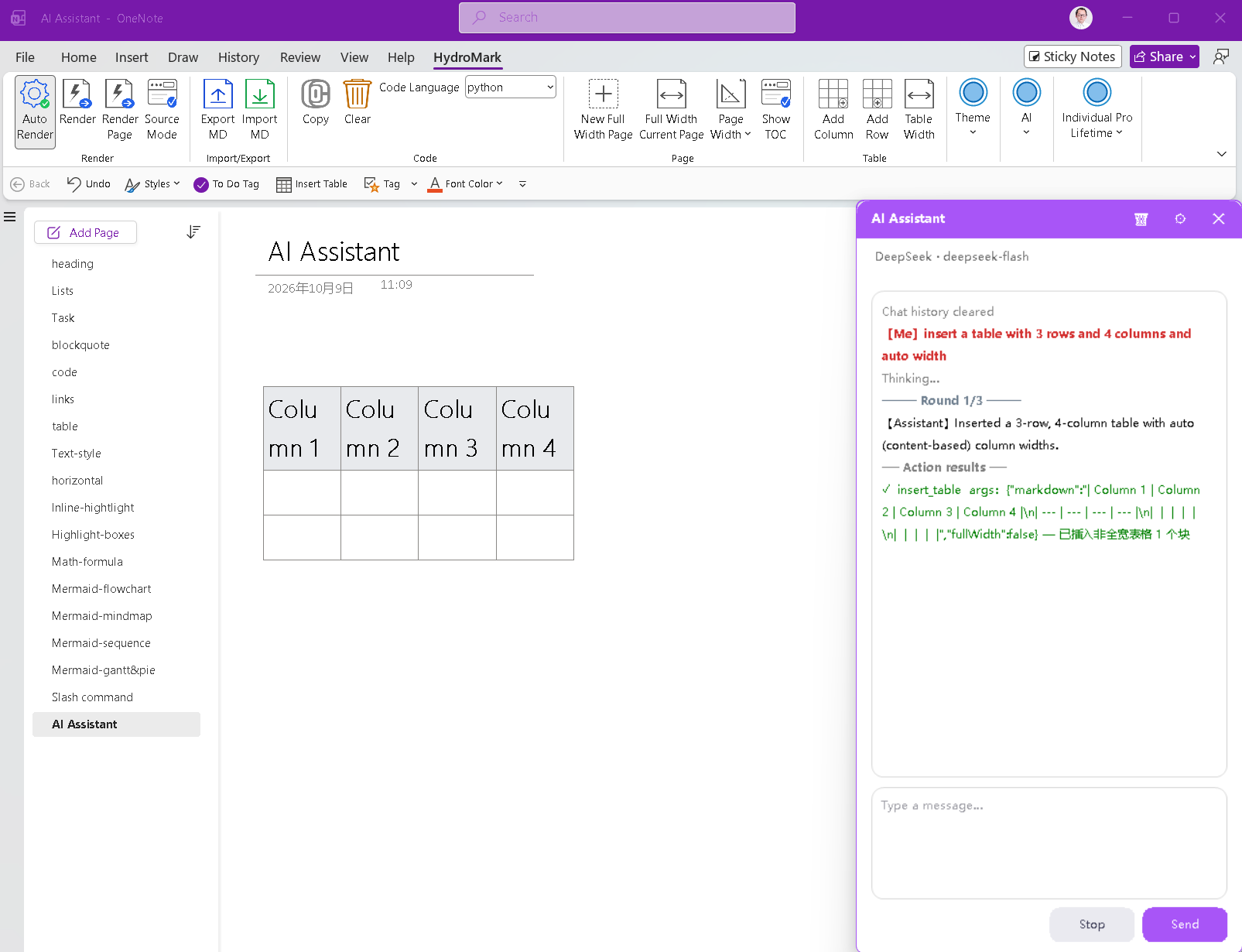
The model calls insert_table with fullWidth:false; HydroMark measures the longest content in each column and builds a content-fitted table instead of the default full-page-width one. The 1.1.0 table-width feature (Alt+W toggles any table between full page width and content-fitted) and the AI path share the same engine — so what the AI inserts behaves exactly like what you'd build by hand.
Details that make it feel native
- Replies follow your language — ask in Chinese, get Chinese; ask in English, get English. The UI itself ships in 9 languages.
- The assistant is a sidebar, not a dialog — it docks next to your page, keeps the chat history locally, and never blocks the page you're writing on.
- Shortcuts:
Alt+Aopens it; the ribbon has an AI group with the assistant and model settings.
Availability
The AI Assistant is included in every license — the 14-day free trial and all paid tiers. You only bring your own model provider and API key.
- Website: https://hydromark.hydrolinx.top
- What's new in 1.1.0: AI Assistant · table width control (
Alt+W) · full dark-mode adaptation · dozens of refinements - Feedback & support: support@hydrolinx.top
If you've ever wished OneNote had an assistant that could do things instead of just talking about them — give 1.1.0 a try and tell me what action you want it to learn next.
Random Posts

I Wanted Markdown in OneNote, So I Built It — HydroMark, a OneNote Markdown Add-in with Live Preview9/19/26
My 500-Year Story with AI11/4/24
OneMark vs HydroMark: Which OneNote Markdown Add-in Should You Use? (2026 Comparison)9/19/26
Prompt Engineering Basics: 6 Practical Ways to Get Better AI Output9/9/26
Disabling layout and features11/4/24
How to Grow With AI: 7 Practical Paths for Building Real Value9/12/26